Choosing between Bassets and Sage Fixed Assets is less about finding the platform with the longest feature list and more about finding the software that fits your fixed asset accounting requirements.
Both products support dedicated fixed asset management and depreciation, but they take different approaches to reporting, physical asset tracking, integrations, deployment, implementation and pricing. For finance teams comparing Bassets vs Sage Fixed Assets, the right choice depends on the complexity of the asset portfolio, the accounting and tax books required, the need for physical tracking, and how fixed asset data must move into the wider finance environment.
If you're evaluating a wider shortlist, our fixed asset software comparison looks at Bassets, Sage Fixed Assets, Bloomberg Tax Fixed Assets, NetSuite Fixed Assets Management and Asset Panda side by side.
Bassets vs Sage Fixed Assets at a Glance
There is no universal winner. Sage has a broader modular environment, including dedicated physical tracking and planning capabilities. Bassets is focused on fixed asset accounting and depreciation, with four defined books, scalable license tiers, two deployment models and a migration process designed to carry existing asset data into Bassets for accurate calculations moving forward.
What Is Bassets?
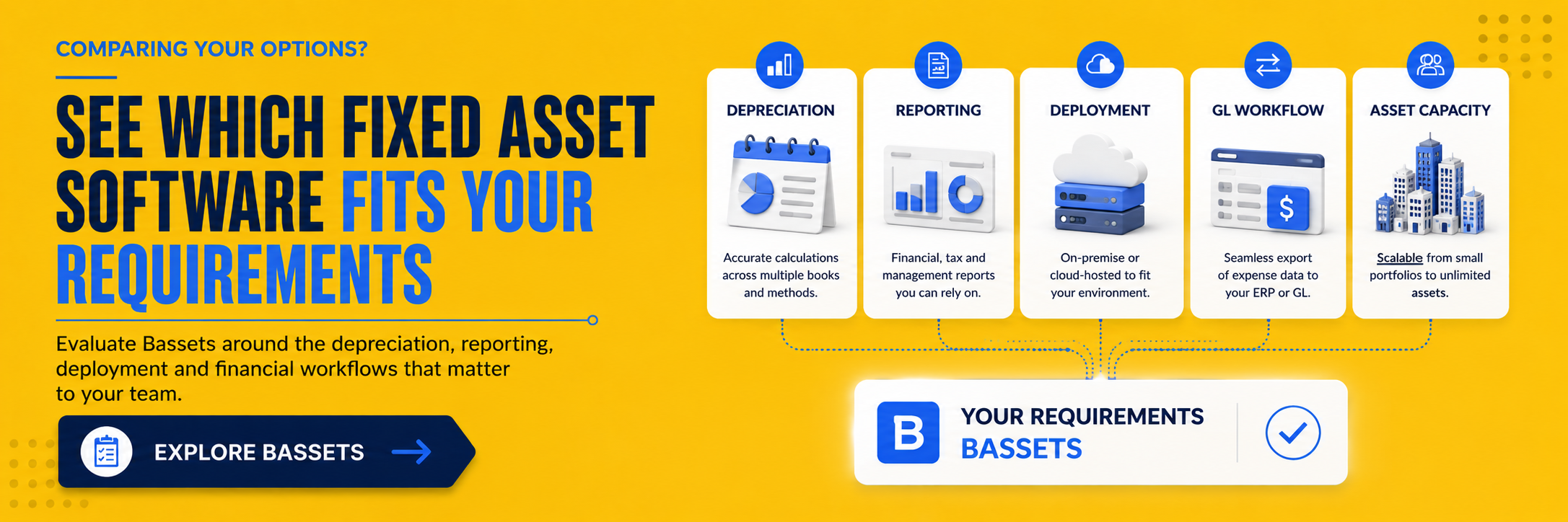
Bassets is fixed asset accounting and depreciation software designed for finance and accounting teams managing depreciation, reporting and asset lifecycle transactions. Its Compact, Standard and Enterprise licenses support portfolios of up to 5,000 assets, up to 20,000 assets and unlimited assets respectively.
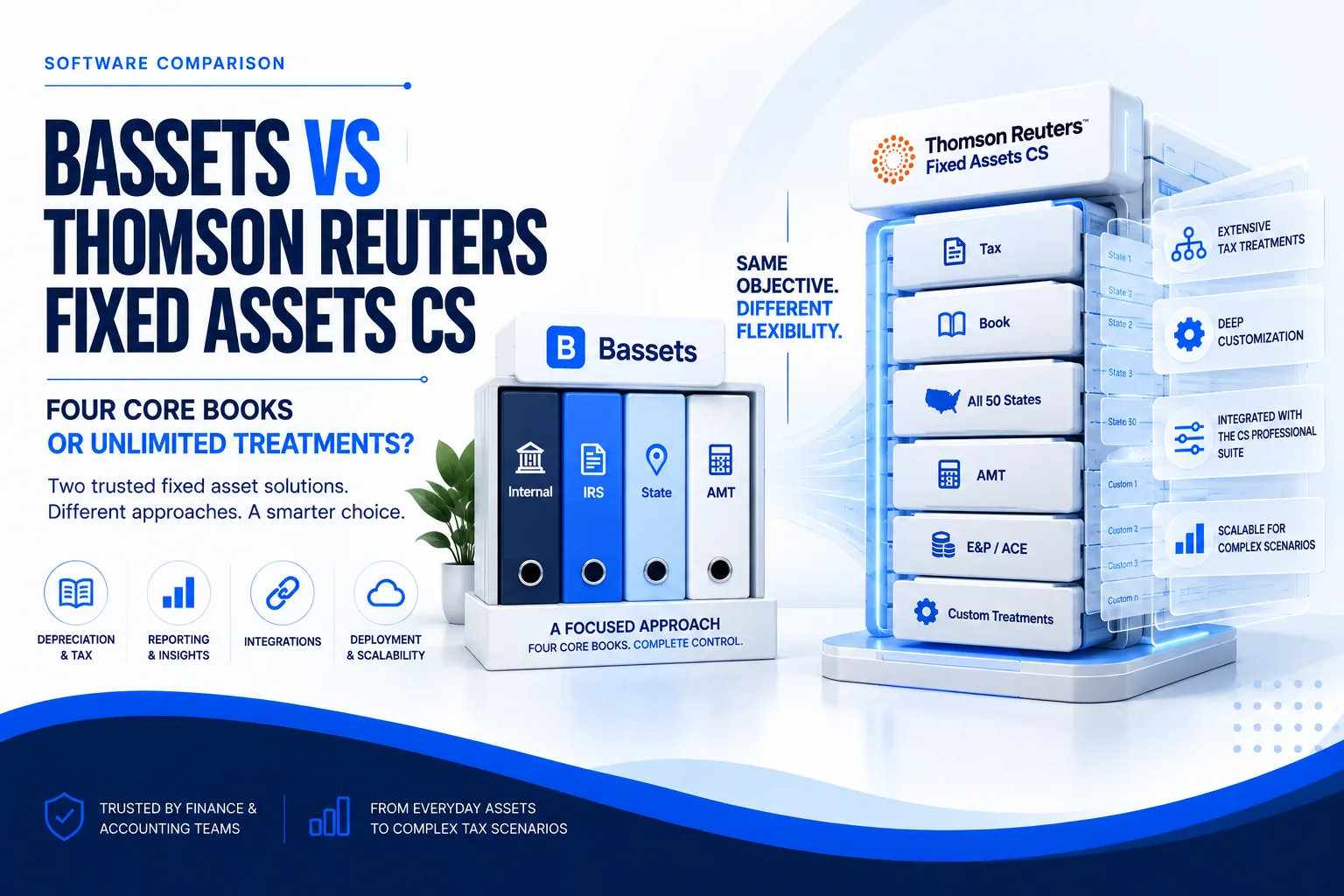
Bassets maintains four depreciation books: Internal, IRS, State and AMT. It can be deployed on-premise or through a cloud-hosted virtual machine, allowing organizations to choose the operating model that best fits their IT environment.
What Is Sage Fixed Assets?
Sage Fixed Assets is a dedicated fixed asset management product organized around four primary modules: Depreciation, Planning, Tracking and Reporting. Its Depreciation module supports more than 50 depreciation formulas and up to 20 depreciation books.
Planning supports asset projects before assets are placed in service, Tracking provides physical inventory and barcode capabilities, and Reporting provides customizable fixed asset reporting. Sage Fixed Assets is separate from Sage Intacct Fixed Assets Management, which is a fixed asset capability within the broader Sage Intacct environment.
Bassets vs Sage Fixed Assets: Depreciation and Accounting
Depreciation books and tax requirements
Sage supports up to 20 depreciation books, which can be useful for organizations maintaining a large number of parallel tax, financial and management treatments.
Bassets maintains four defined books: Internal, IRS, State and AMT. For many finance teams, the more useful question is not how many books are available in theory, but whether the software supports the exact accounting and tax treatments the organization must maintain and reconcile.
Historical and future calculations
When comparing depreciation platforms, test how each system handles historical asset data, current-period calculations and future depreciation requirements. This becomes particularly important during migration, when the new system must reproduce and then continue accurate depreciation schedules from existing data.
Transfers and disposals
Both systems support fixed asset lifecycle activity beyond the initial acquisition. Finance teams should test complete and partial transactions, historical records and reporting outputs using real asset scenarios before selecting a platform.
Reporting and Financial Workflows
Fixed asset software ultimately has to support financial reporting, tax preparation, reconciliation, audit work and general ledger processes. Sage offers a dedicated Reporting module with customizable reporting capabilities.
Bassets provides fixed asset reporting and data export capabilities. Its GL interface exports general ledger expense data that can then be imported into an ERP or accounting environment. This is an important distinction: Bassets does not currently offer native ERP integrations that automatically move the data between systems.
For buyers, that means integration should be evaluated as a workflow rather than a checkbox. If automated native connectivity is essential, Sage's documented integrations may carry more weight. If a controlled GL export and import process fits the finance team's operating model, Bassets may still satisfy the requirement.
Asset Tracking and Physical Inventory
Sage has a clear documented strength in physical asset tracking. Its Tracking module supports barcode creation and scanning, Android mobile scanning, employee check-in and check-out, and reconciliation of physical inventory with depreciation records.
Bassets can import barcode values and use them as an asset number, but it is not positioned as a barcode-scanning or field-inventory platform. Organizations where mobile scanning and frequent physical inventory are central requirements should therefore give Sage's Tracking module appropriate weight in the evaluation.
Finance teams primarily focused on depreciation, accounting records and financial reporting may place less emphasis on mobile tracking. The importance of this difference depends on the asset-management process rather than the presence of a barcode field alone.
Deployment and Cloud Access
Bassets supports two deployment models: on-premise installation and a cloud-hosted virtual machine. Compact, Standard and Enterprise refer to license levels and asset capacity, not separate deployment models.
Sage Fixed Assets can also be deployed on-premises or in a cloud-hosted environment. When comparing the two products, buyers should distinguish between on-premise software, hosted access and cloud-native software rather than treating every form of remote access as the same deployment model.
Integrations and General Ledger Workflows
Sage publicly lists integrations with Sage Intacct, Sage 100, Sage 300, Microsoft Dynamics, Plex, SAP, JD Edwards and Oracle.
Bassets does not currently provide native integrations. Instead, its GL interface exports general ledger expense data that can be plugged into an ERP or accounting system. This gives finance teams a structured way to move expense information without representing the workflow as an automated native connector.
Before choosing either platform, document the exact data flows required between fixed asset software and the general ledger or ERP. A named integration is only valuable when it supports the workflow the organization actually needs.
Bassets vs Sage Fixed Assets Pricing and Total Cost
Bassets publishes current pricing for its license levels, while Sage directs prospective buyers to contact the company for Sage Fixed Assets pricing. However, starting software price does not establish total cost.
A complete comparison should include licensing, hosting, implementation, data conversion, integrations, training, support and the internal administration required to operate the system.
For a detailed pricing analysis, see our Sage Fixed Assets Pricing and Cost Guide.
Implementation, Migration and Data Conversion
For organizations already using Sage Fixed Assets, migration is often one of the biggest practical concerns. Replacing software is only useful if existing asset and depreciation data can move into the new environment accurately and continue producing reliable calculations.
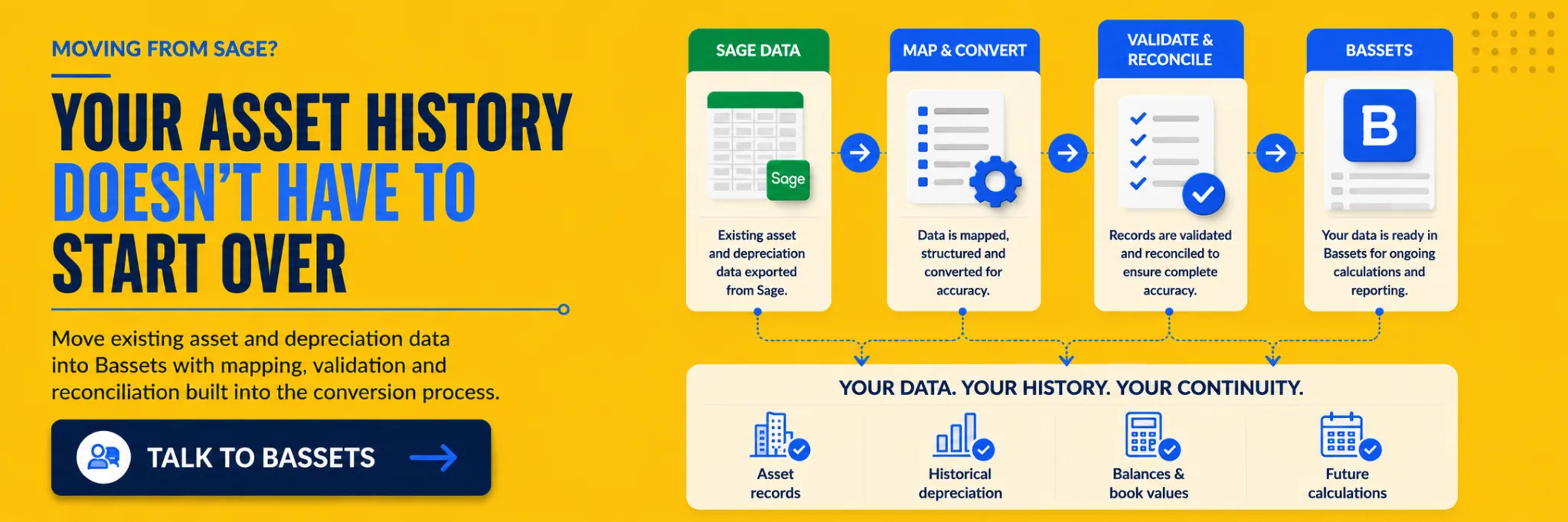
A Sage-to-Bassets conversion can include data extraction and preparation, field mapping, historical depreciation information, validation, exception review, reconciliation and user testing. Once the source data is loaded into Bassets, the system can use that information to continue accurate calculations moving forward.
The exact migration process should be scoped against the customer's existing dataset. Finance teams should establish which records are being transferred, how depreciation balances will be validated, which exceptions require manual review and when the new system will become the system of record.
A Practical Migration Checklist
- Review existing Sage asset and depreciation data.
- Identify the fields and historical records required in Bassets.
- Map source fields to the Bassets data structure.
- Load and validate the converted asset data.
- Compare depreciation calculations and balances.
- Review exceptions and reconcile discrepancies.
- Complete user testing before go-live.
- Use the converted data as the basis for accurate calculations moving forward.
Support and Ongoing Administration
Support matters most when a fixed asset portfolio is large, unusual depreciation scenarios arise or the finance team is working through migration and reporting requirements.
Sage provides product support resources and Expert Services for specialized requirements. Bassets provides technical onboarding and support around implementation, conversion and use of the system.
Buyers should compare how support is delivered, which services are included, when professional services are required and how quickly the finance team can reach someone familiar with fixed asset accounting when an issue arises.
When Sage Fixed Assets May Be the Better Fit
- Physical asset tracking and mobile barcode scanning are central requirements.
- The organization needs Sage's dedicated Planning module for project and pre-service asset workflows.
- A documented native connection to one of Sage's supported ERP or accounting systems is important.
- The organization requires more than four depreciation books.
Sage's broader modular environment can be valuable when these capabilities are central to the buying decision. The relevant question is whether the organization needs them enough to justify the complete product configuration and total cost.
When Bassets May Be the Better Fit
- The finance team wants a dedicated fixed asset accounting and depreciation platform.
- Four defined books, Internal, IRS, State and AMT, cover the organization's accounting and tax requirements.
- A controlled GL export workflow is sufficient and native ERP integration is not required.
- The organization wants the choice of on-premise or cloud-hosted virtual machine deployment.
- The asset portfolio needs to scale from thousands of records to an unlimited Enterprise license.
- The organization is replacing Sage and wants historical data converted, validated and carried forward for future calculations.
The strongest way to evaluate Bassets is to test it against the organization's own asset records, reporting requirements and migration needs rather than relying only on a checklist of features.
How to Choose Between Bassets and Sage Fixed Assets
- Which depreciation books and tax treatments must we maintain?
- Do we need more than four depreciation books?
- Is barcode scanning or mobile physical inventory a core requirement?
- Do we require a native ERP integration, or will a GL export workflow meet our needs?
- Do we prefer on-premise or cloud-hosted deployment?
- How much historical asset and depreciation data must be converted?
- What reports, reconciliations and audit workflows must the system support?
- What is the complete cost of software, hosting, implementation, migration, support and administration?
Use the answers to create a requirements checklist and test both products against the same real-world scenarios. That produces a more useful comparison than selecting the platform with the largest feature list.
If Sage and Bassets are only part of your shortlist, compare the best fixed asset accounting software options across a broader range of platforms.
Buyer Decision Checklist
Bassets vs Sage Fixed Assets FAQs
Is Bassets an alternative to Sage Fixed Assets?
Yes. Bassets and Sage Fixed Assets both provide dedicated fixed asset accounting and depreciation capabilities. Their physical tracking, integrations, book structure, deployment and broader workflow capabilities differ, so organizations should compare them against their own requirements.
What is the main difference between Bassets and Sage Fixed Assets?
Sage offers a broader modular environment that includes dedicated Planning, Tracking and Reporting modules, while Bassets focuses on fixed asset accounting and depreciation with four defined books, scalable license levels, two deployment models and a GL export interface rather than native ERP integrations.
How many depreciation books does Bassets support?
Bassets maintains four books: Internal, IRS, State and AMT.
Is Sage Fixed Assets cloud-based?
Sage Fixed Assets can be deployed on-premises or through a cloud-hosted environment. It should not automatically be described as cloud-native software.
Does Bassets integrate with ERP systems?
Bassets does not currently offer native ERP integrations. Its GL interface exports general ledger expense data that can be imported into an ERP or accounting system.
Can Bassets import barcodes?
Yes. Barcode values can be imported into Bassets and used as an asset number. Bassets is not positioned as a mobile barcode-scanning or physical inventory platform.
Can you migrate from Sage Fixed Assets to Bassets?
Yes. A Sage-to-Bassets conversion can include field mapping, historical depreciation data, validation, exception review, reconciliation and user testing so the converted data can support accurate calculations moving forward.
How much does Sage Fixed Assets cost?
Sage does not currently publish standard Sage Fixed Assets pricing on its US product pages. Buyers should request a quote and compare software, hosting, implementation, migration, integrations, training and support when calculating total cost.
Which is better, Bassets or Sage Fixed Assets?
Neither platform is universally better. Sage may suit organizations that need extensive physical tracking, planning, native integrations or more than four depreciation books. Bassets may suit finance teams that want dedicated depreciation functionality, four defined accounting and tax books, flexible deployment and a structured migration path from an existing system.
Evaluate Bassets Using Your Own Fixed Asset Requirements
A comparison can narrow the shortlist, but the most useful test is how the software performs with the organization's own asset portfolio, depreciation requirements and reporting workflows.